HELIX Flightkit Overview
An introduction to Bright Ascension’s Helix Flightkit.
1. What is Flightkit?
Helix Flightkit is a development kit used to build flight software for spacecraft. Drawing on years of mission heritage, it is designed to accelerate development, reduce cost and risk, and enable scalable, modular, and reusable software for everything from single satellites to large constellations.
At its core, Flightkit uses a component‑based architecture. Each Component encapsulates a specific part of onboard software, enabling systems to be assembled from modular building blocks. All Components follow a standard interface that allow them to be easily added, removed, or replaced with minimal impact to the rest of the system. This modular design simplifies development and makes it easier to adapt software as mission requirements evolve.
Flightkit helps to avoid being tied to specific hardware systems through its clear notions of platform dependencies. It also introduces intuitive workflows and well-defined concepts so there is no need to reinvent the wheel for each new project. Flightkit provides a library of pre-built artefacts, saving development time, while enabling easy validation of functionality with its built-in unit testing support.
As part of the Helix suite, Flightkit can easily integrate with other Helix products like Ops and Edge. Flightkit achieves this by generating a Mission Database - a machine-readable representation of your mission software and its interfaces. Alongside this, it generates documentation for the flight software for operators and systems engineers.
2. What’s Included
Flightkit consists of a number of parts which come together to form a complete flight software solution. Each of these parts is its own standalone block, with its own releases and versioning.

2.1. hfk
The Flightkit tooling, hfk, is used to carry out code and documentation generation and in large part defines the Flightkit workflow. It supports Component development, software integration and testing using the Unity and CMock tools, which helps guide engineers through the process rapidly, promoting an agile and iterative approach.
The tooling is used to generate simple and efficient code which 'glues' the Components together and lets them interact according to the GenOne:C language implementation. This saves time and allows you to focus on the mission-specific aspects of your development.
The command line tooling is installed as part of Flightkit, and can be run in a terminal by typing hfk.
2.2. GenOne:C
A lightweight framework, written in C, which provides the glue code and core concept implementations which all Flightkit flight software uses. GenOne:C contains all the code required to integrate your Flightkit Component Types, Modules and Services into Deployments. In particular, it includes:
-
The task API, which defines how your code interacts with the underlying operating system.
-
Component lifecycle code, which defines how Deployments are started, and their Components initialised.
-
Service code, which provides functionality which Components use when they interact with each other.
2.3. Bundles
The off-the-shelf Flightkit Bundles are extensive libraries of pre-validated artefacts providing support for numerous hardware and software subsystems.
They contain Components, Modules, Services, Deployments, Missions and more which Flightkit users can use to build their flight software.
Flightkit comes shipped with two separate Bundles:
-
FlightkitFoundation- essential building blocks for creating onboard software -
FlightkitExtras- extra support for interacting with various hardware subsystems
To see the Bundles installed on your system, run:
hfk bundle list2.4. Helix Lab
Ground software for interacting with and ground-based testing of flight software produced by Flightkit.
Helix Lab can be used to explore your flight software’s Mission Model, send telemetry and telecommands to/from the flight software, and inspect logs & Events.
You can launch Helix Lab by opening the Applications menu and searching for HELIX Lab.
2.5. Documentation
A set of tutorials, how-to guides, feature guides, and reference material covering many aspects of using Flightkit. Available via the online knowledge base and locally by running the following command:
hfk-open-docsThe documentation is categorised to aid navigation:
-
Tutorials: these documents guide you through activities intended to help you gain familiarity with Flightkit. We recommend that all new Flightkit users work through the tutorials when first getting to grips with it.
-
How-to Guides: these documents give step-by-step instructions about how to configure and use specific parts of Flightkit.
-
Feature Guides: these documents are explanatory guides intended to give a deeper understand of Flightkit’s features.
-
Reference Material: these documents give in-depth technical information aimed at readers already familiar with Flightkit.
3. How Flightkit Works
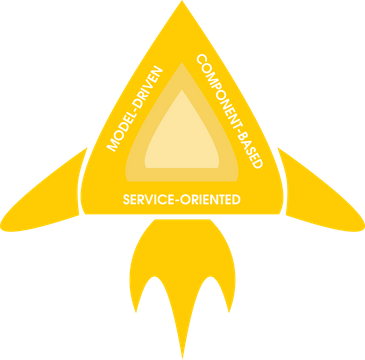
Built upon our GenOne technology at the heart of all Helix products, Flightkit's architecture has three key aspects: it is model-driven, component-based, and service-oriented.
3.1. Model-Driven
All products in the Helix suite are built around a model-based approach. The structure and capabilities of the different parts of the system are captured as machine-readable data which can be shared across products, allowing rapid reconfiguration of one part of the system to accommodate changes in another.
When using Flightkit, you will capture the structure, features and documentation of your flight software in XML. This information is then used throughout the software development lifecycle - from generating skeleton code and tests, to integration of your completed flight software with other Helix products, like our Ops mission control software.
3.2. Component-Based
Flightkit flight software is built from a set of modular Components that can be combined to create a wide range of software systems. A Component is a stand-alone block that encapsulates a specific aspect of flight software.
These Components are central to GenOne’s model-driven approach, enabling flexible system design through the composition of well-defined, self-contained elements. Because Components are modular and reusable, functionality can be easily adapted, extended, or reused across missions.
|
To see more about Components in Flightkit, see the reference material here. |
A typical mission will include a combination of library Components from Flightkit's Bundles and bespoke Components created for mission-specific functionality. While every mission is different, software systems on many missions perform a number of similar tasks such as data acquisition, monitoring, logging, FDIR, TM/TC, and scheduled/automated actions. Within GenOne, these common functionalities are provided as library Components to accelerate the development of software. Mission-specific software systems can be created and added to the previously validated library Components.
| Subsystem Components | Data Handling & Monitoring Components | Communications Components | Automation Components | Storage Components |
|---|---|---|---|---|
|
|
|
|
|
3.3. Service-Oriented
Services are how Components interact with each other. A Service-oriented approach means that specific Components don’t have to be hard-linked to other Components, allowing them to be combined in many different ways depending on the needs of individual missions. This is the final pillar that allows GenOne to realise the flexibility offered by our model-driven approach.
A Service defines a contract which two or more Components can agree to be bound by. A Component that provides a Service is promising to behave in a certain way, and so a Component that uses that Service knows exactly what to expect, despite not knowing which specific Component realises that behaviour or where it is located. This provides a flexible way of integrating software Components, both within a software system and between software systems. That flexibility means that as the space system grows or a need for new missions emerges, existing Components - even whole systems - can be swapped in and out and GenOne can be quickly adapted to a new scenario.
Examples of Services include the Packet Service for sending data between components and the Time Access Service for interacting with onboard time sources.
4. How to Use Flightkit
Some things to be aware of before you start using Flightkit.
4.1. Coding Best Practices
Flightkit flight software has flown on more than 60 spacecraft. Over that time, we’ve identified several common pitfalls when developing mission software. Here are some principles we like to follow while using Flightkit:
-
Build for reuse - don’t assume there will only ever be one of any thing in the system. Instead, make things instantiable and configurable. Put reusable code into Component Types if it needs to be instantiated, or into Modules if not. Make interactions between Component Types reusable by writing Services.
-
Break things down into small pieces - to make things more flexible and easier to maintain, avoid creating large, monolithic blocks of code wherever possible. Use sensibly sized Component Types and Modules.
-
Recognise patterns - solutions are rarely one-offs. Try to identify where common tasks can be solved by a general approach rather than single-use solutions. These are good opportunities to export such functionality into a reusable Module.
Of course there may be exceptions to these principles, but experience suggests that ignoring them leads to tightly-coupled and poorly structured software, which becomes very inflexible and change-resistant as the system grows.
4.2. Formatting Conventions
Terms specific to GenOne are given Capital Initials to distinguish them from their generic counterparts. For example, a Component refers specifically to the GenOne meaning whereas a component (without the capitals) refers to the general meaning i.e. a part of something.
It’s impossible to entirely avoid overlap between general software terminology and GenOne terminology, so this styling helps differentiate between the two.
4.3. Versioning
Flightkit's internal artefacts use the Semantic Versioning 2 (Semver2) scheme. Under this scheme, version numbers and the way they change convey meaning about the underlying code and what has been modified from one version to the next. This means that when a Service definition or a devkit Bundle changes, for example, you can determine whether it is still compatible with software that uses it or whether changes are required. Semantic versioning is applied to GenOne tools (e.g. command-line tools in Helix devkits), to GenOne Model artefacts (e.g. Service definitions), and to GenOne workflow artefacts (e.g. Bundles).
|
For more information about Semantic Versioning, go to semver.org. |
The meaning of a Semver2 Major.Minor.Patch version number like 1.2.3 in GenOne and Helix is:
-
A Major version increment means there has been at least one breaking change. A breaking change is any modification that is backward-incompatible with the previous version. It requires users to manually make changes to their own code or configurations to maintain functionality after upgrading. A non-backwards-compatible change to an interface is an example of a major version increment. Inputs and artefacts that were valid for/generated by the old version of a tool are not guaranteed to be supported by a new Major version, and might need updating to work with it.
-
A Minor version increment means there have been non-breaking changes to the interface. New features and backwards-compatible interface updates are examples of minor version increments. Inputs and artefacts that were valid for/generated by the old version of a tool are still supported by a new Minor version, but the reverse is not guaranteed to be true.
-
A Patch version increment means there has been an update that only contains backward-compatible bug fixes.
Helix product releases - like Flightkit and Ops - use the version format YYYY.R.P, where:
-
YYYYis the four‑digit calendar year of the release. -
Ris the release number within that year. -
Pis the patch number for that release.
That’s to make it easier for users to know when a given product version was released. It also avoids confusion about which part of a product the semantics of Semver2 apply to, because a product like Flightkit includes several tools and artefacts and some of them might have major changes, while others have only minor changes or patches and others may have no changes at all.
5. Related Documentation
-
How-To Guide: Getting Started
-
Feature Guide: Workflow